ToggleHosts
Buy ToggleHosts
ToggleHosts

Stop fighting your /etc/hosts.

Switch between environments in seconds, with entry validation, automated DNS flushing, and a backup before every change.

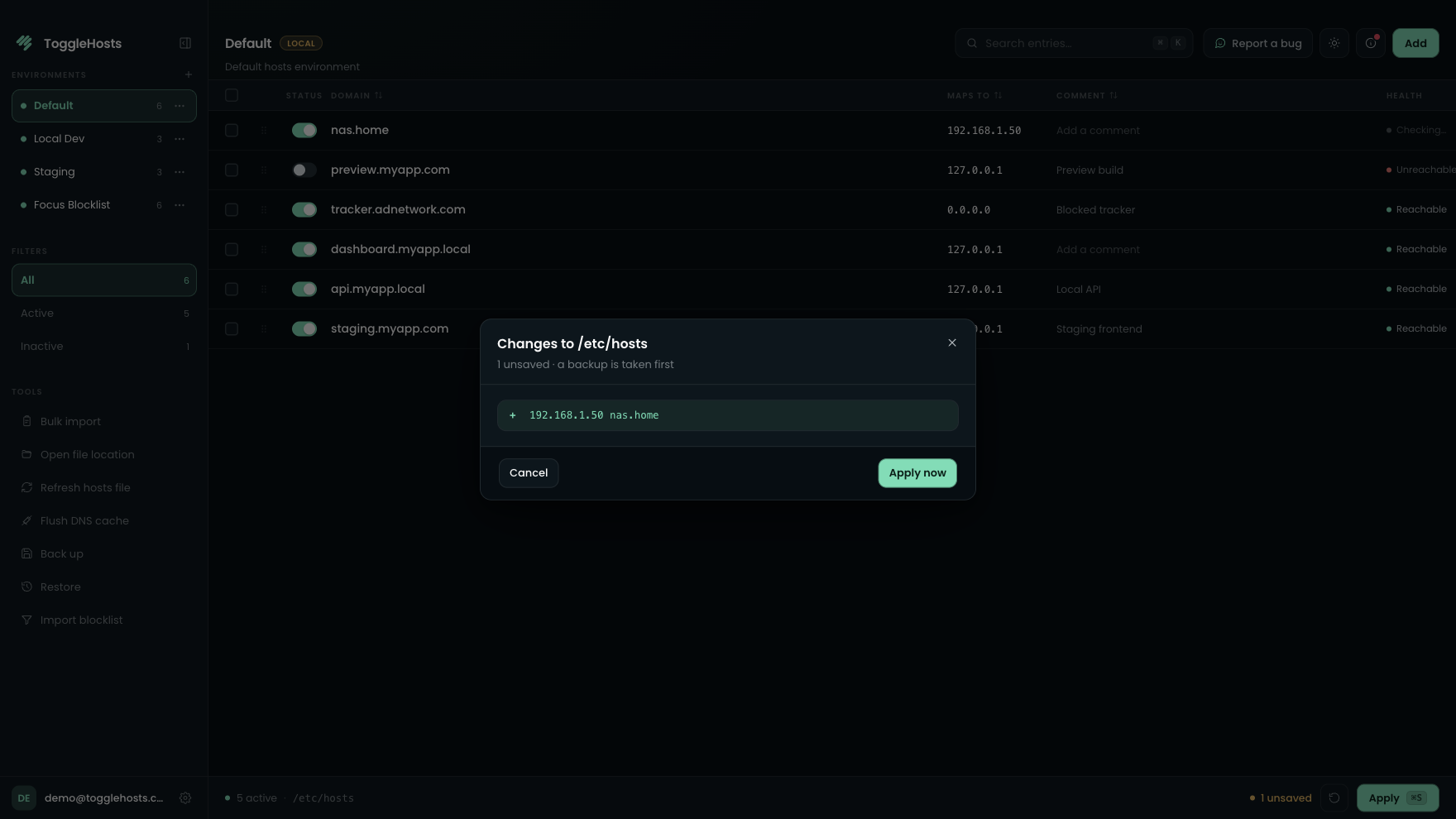
ToggleHosts is the desktop hosts file manager for macOS, Windows, and Linux built for reliable local environment switching. Switch in seconds per switch with zero-typo validation, automated DNS flush, and instant backups. One-time payment including 1 year of updates, keep your version for life.

7 days to test the essentials, no card · then €4.99, one-time

Built for freelancers, agencies & QA·One-time payment · 1 yr updates · Keep for life·macOS · Windows · Linux
ToggleHosts - demo
v1.2 · demo

Acme · dev

dev

Local development environment

StatusIPDomainCommentActions
127.0.0.1
app.dev.acme.local
Next.js front-end
127.0.0.1
api.dev.acme.local
Node backend
127.0.0.1
admin.dev.acme.local
Back-office
192.168.1.42
minio.dev.acme.local
Local S3 storage
127.0.0.1
mail.dev.acme.local
MailHog
127.0.0.1
ws.dev.acme.local
WebSockets
In sync
·Acme · dev · 4/6 active·Backup · just now

You've seen how it works. Try it with your own hosts

Minimal admin rights

Elevated privileges requested only when applying /etc/hosts

Automatic backups

Created safely before every single hosts write

1-click restore

Instant rollback to any prior state if anything goes wrong

01before / after

Rewrite your hosts file every time you change environments, or switch in seconds.

The job is the same: activate the right entries, apply them, then flush DNS. See the two approaches side by side.

before · manual /etc/hosts ~4 min
Terminal - hosts
● live
~/etc $
after · togglehosts 6 s
ToggleHosts - staging
● v1.2.0
stagingStaging

Team pre-production · 347 entries

localhost127.0.0.1# system
app.staging.local127.0.0.1# acme
ads.tracking.example0.0.0.0# blocked
db.staging.local10.0.0.4# db
elasticsearch.local192.168.1.10# search
+ 342 more entries
unsaved changes
02how it works

Changing environments shouldn't mean wrestling with your hosts file.

sudo, Permissions, blocks to comment out, DNS caches to flush: the same steps come back every time you switch. ToggleHosts brings them together in one place.

Without ToggleHosts
  • Comment out one block, uncomment another, then double-check it.
  • The file is updated, but the browser still uses the old IP.
  • One typo and the domain stops resolving without a useful error.
  • One bad change and you have to rebuild what was working before.
With ToggleHosts
  • A named environment, ready to apply.
  • Apply the file and flush DNS in the same place.
  • ToggleHosts checks an entry before it writes to the file.
  • A backup is made before every apply.

Keep every environment named and ready

Maintain hosts entries with comments so client context stays organized, ready for the next switch.

127.0.0.1 api.staging.local # acme
127.0.0.1 db.staging.local
· 0.0.0.0 ads.tracker.dev

Switch environments in one click (6s flat)

Move between local, staging, prod, or client setups without rewriting blocks of lines.

devstagingprod· 2 to switch

Auto-backup before every apply

A snapshot is created before changes land, so rollback is always one click away.

hosts.2026-05-17_14-22.bak· 2 min ago
● hosts.2026-05-17_09-08.bak · 5 h ago
● hosts.2026-05-16_18-50.bak · 1 d ago

Reorder by drag and drop

Keep entries tidy and structured visually.

⋮⋮ 127.0.0.1 api.local
⋮⋮ 127.0.0.1 db.local ← dragging
⋮⋮ 10.0.0.4 cache.local

Find any domain instantly

Search and filter across large hosts files with zero latency.

api.staging.local1 of 47
03compare

A free editor can change a file. You need to switch without second-guessing the file.

ToggleHosts helps you move between contexts with named environments, a backup before every apply, and DNS flushing. It works on Windows, macOS, and Linux.

Free tools
SwitchHosts · Gas Mask
ToggleHosts
v1.2 · up to date
Environments
Limited or manual profiles
Named environments, one-click switching
Safe apply
Often no auto-backup
Backup before every apply
DNS flush
Manual or missing
One click after apply
Cross-platform
Varies by tool
Windows · macOS · Linux, same experience
Updates
Often unmaintained
Regular, delivered in-app
Support
Community, no guarantees
Dedicated email support

Comparison based on the most common free alternatives in June 2026.

04save time

Also included

Shortcuts to move faster and safeguards for every apply.

  • Bulk import from hosts text
  • Backup restore controls
  • DNS blocker alerts
  • Browser cache cleanup
  • In-app update flow
ToggleHosts - command palette
K
add a hosts entry5 actions
+Add a hosts entryN
Switch to staging⌘ 2
Flush DNS cache⌘ ⇧ R
Import from hosts text⌘ I
Restore from backup…⌘ ⇧ B
↑ ↓ to navigate · esc
06pricing

One payment. No subscription.

Every feature, side by side. Licenses differ only in devices, team tools, and support tier.

Included in all plans

All core capabilities of ToggleHosts are included in every license. No artificial feature gating.

  • Unlimited entries
  • Visual enable / disable
  • Drag & drop ordering
  • Create and switch environments
  • Instant search
  • Command palette and keyboard shortcuts
  • Bulk import from hosts text
  • Import / export JSON
  • Automated DNS flush
  • Strict IPv4 / IPv6 validation
  • Backup before every change
  • Restore from backups
  • macOS, Windows, and Linux
  • 100% local, your data stays on your machine
  • Multi-language UI (EN / FR / 中文 / 日本語)

Solo License

1 machine

4.99 €one-time payment (1 yr updates)

Included

  • All core features included
  • 1 person · 1 device
  • Perpetual license (keep version for life)
  • 1 year of updates included
  • Self-serve device transfer

License & scale

Devices
1
License
Lifetime (1 yr updates)
Release / change device
Admin dashboard & seat management
Export members (CSV)
CLI
Support
Email
Compare every license
Features
Solo License1 machine4.99 €one-time payment (1 yr updates)
−10%
Dual License2 machines8.99 €one-time payment (1 yr updates)
Team License2+ seats15.00 €/ seat · 2+ seats
License & scale
Devices11 / seat
LicenseLifetime (1 yr updates)Lifetime (1 yr updates)
Release / change device
Admin dashboard & seat management
Export members (CSV)
CLI
SupportEmailPriority

Or try 7 days free, no credit card

Switch environments in seconds, zero typos, automated DNS flush.

Switch environments in seconds, zero typos, automated DNS flush. Perpetual license with 1 year of updates included.

Buy a licenseSee features
07faq

Questions before you get started?

Still deciding? Contact support.

Yes. You can download the app for free and test the core ToggleHosts workflow for 7 days with no credit card required, or explore the interactive demo on this page. You then purchase your perpetual license as a one-time payment.

It depends how often you switch environments. People who juggle clients or staging setups usually replace a multi-step terminal ritual with a short, repeatable apply. Fewer mistakes, less DNS debugging.

ToggleHosts is a visual hosts file manager. Instead of juggling sudo, comment blocks, and hidden typos between environments, you get named setups, controlled applies, backups, and DNS tools in one place.

Free tools often stop at basic editing. ToggleHosts adds named environments, automatic DNS flush, IP validation, backups, and a consistent app across Windows, macOS, and Linux, for a single one-time purchase with no subscription.

It is a one-time purchase. You pay once for your perpetual license (keep your version for life), with 1 year of updates included. No recurring subscription or hidden fees.

Yes. ToggleHosts creates a backup before applying changes, so you can restore your hosts file quickly if needed.

Unlimited. ToggleHosts stays fast with instant search, whether you have 10 lines or 1000+.

Yes. One click runs the correct DNS flush commands for your operating system, so changes take effect without manual steps.

ToggleHosts is a native desktop app for Windows, macOS, and Linux. After purchase, you receive download links for all supported platforms.

A Solo license binds to one machine at a time. Use Change computer in Account (email code) when you replace hardware, limited to prevent sharing. Dual covers two machines for one person on the same email. For more devices or teammates, buy a Team license (2+ seats). Team admins can also release a device from the Team dashboard.

All licenses include email support, plus documentation for common workflows and troubleshooting.